

How to Purchase and Activate a Windows Server License
How to Purchase and Activate a Windows Server License
This page describes how to activate a Windows Server license on a Windows Server VM. It covers checking the current activation status, entering a product key, and verifying successful activation.
Atlantic.cloud provides Windows virtual machines without a pre-activated Windows license. Microsoft Windows licensing is not included in the price of the instance. Clients are responsible for ensuring that their Windows installation is properly licensed and activated using a Microsoft license that permits use in our hosting environment. Please consult the licensing instructions below or contact our technical support team if you need assistance.
Check the current activation status
- Open Settings → Update & Security → Activation. Note the Edition and the Activation status.
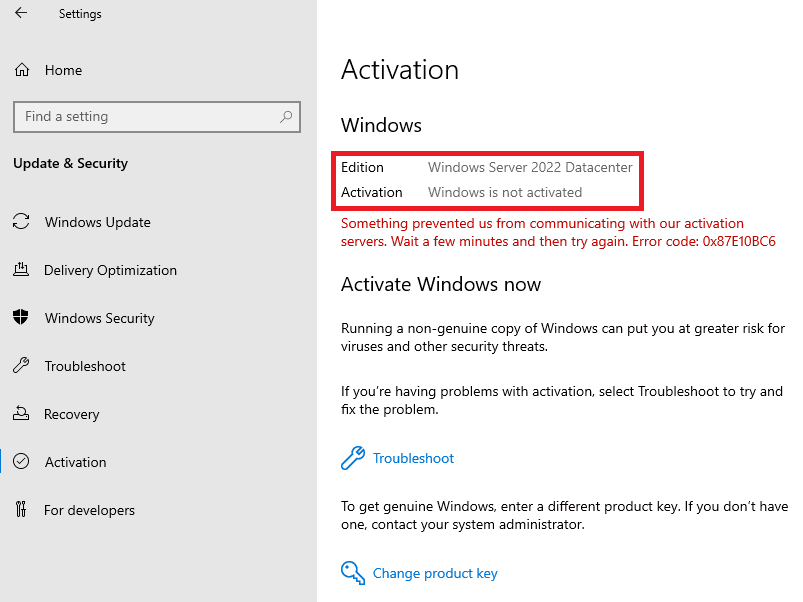
The expected status is "Windows is not activated" along with an error message — this is normal. Note the Edition (Standard or Datacenter) — you will need a license that matches it.
The license must match the installed Windows Server edition (Standard or Datacenter). A Standard key will not activate a Datacenter installation, and vice versa. Retail and OEM licenses may not permit use on a hosted VM. Only use a license whose terms explicitly allow deployment in a shared or dedicated hosting environment. Contact your provider to confirm which license types are valid for your configuration.
Activate via the Windows interface
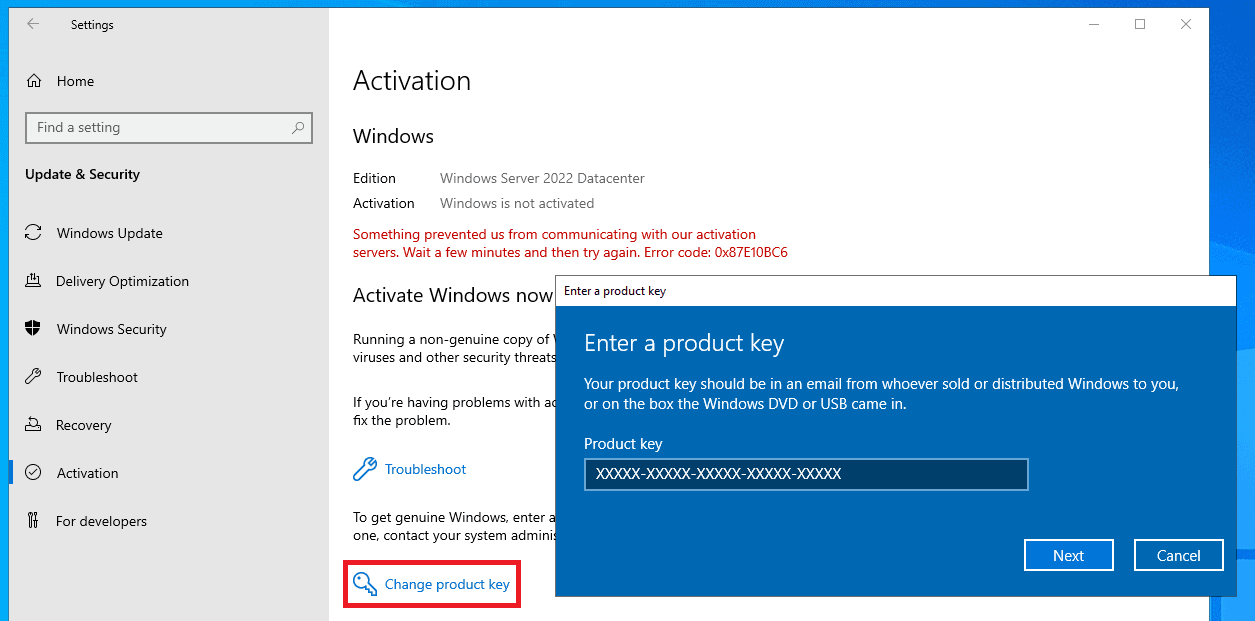
- Open Settings → Update & Security → Activation.
- Click Change product key.
- Enter the 25-character product key.
- Click Next.
Verify activation
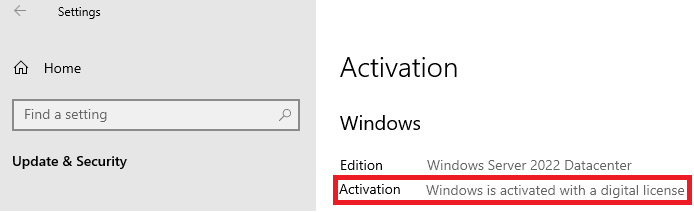
1. Open Settings → Update & Security → Activation. You should see "Windows is activated with a digital license."
If activation failed, check the error message against the table below:
| Error | Cause | Resolution |
|---|---|---|
| "The specified product key was not recognized" | Typo or invalid key | Re-enter the key carefully; verify with the vendor |
| "The product key entered does not match the edition" | Key edition ≠ installed edition | Purchase a key matching the installed edition, or reinstall the correct edition |
| "Windows cannot activate right now" / network error | No internet access or proxy blocking | Verify outbound connectivity to Microsoft activation servers (ports 80/443) |
| "This license is not valid for use on a virtual machine" | Retail/OEM key used on a hosted VM | Purchase a license explicitly valid for hosted VM use. Contact your provider for the correct license type. |
Swipe table horizontally to view all columns.
Was this article helpful?
Can't find what you're looking for?
Our professional systems engineers are available 24/7/365 to assist you.